An AI code editor for your own models and keys
MyLo is a free, open-source editor built on Eclipse Theia. Connect your own API key or a local model, and chats and agents work on your code. No account and no subscription.
macOS, Apple silicon · Open source · No account · Also for Windows and Linux (.deb)
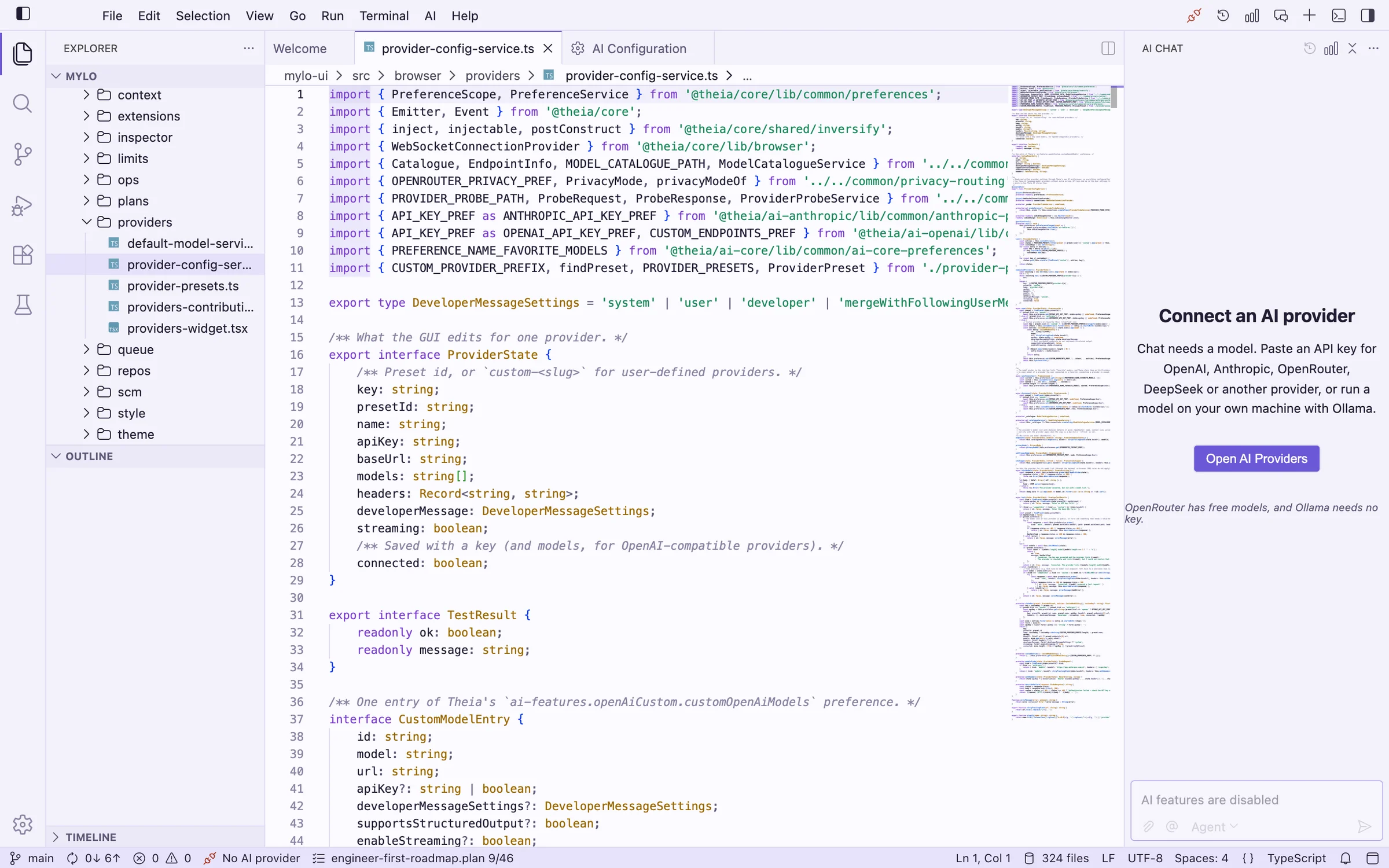
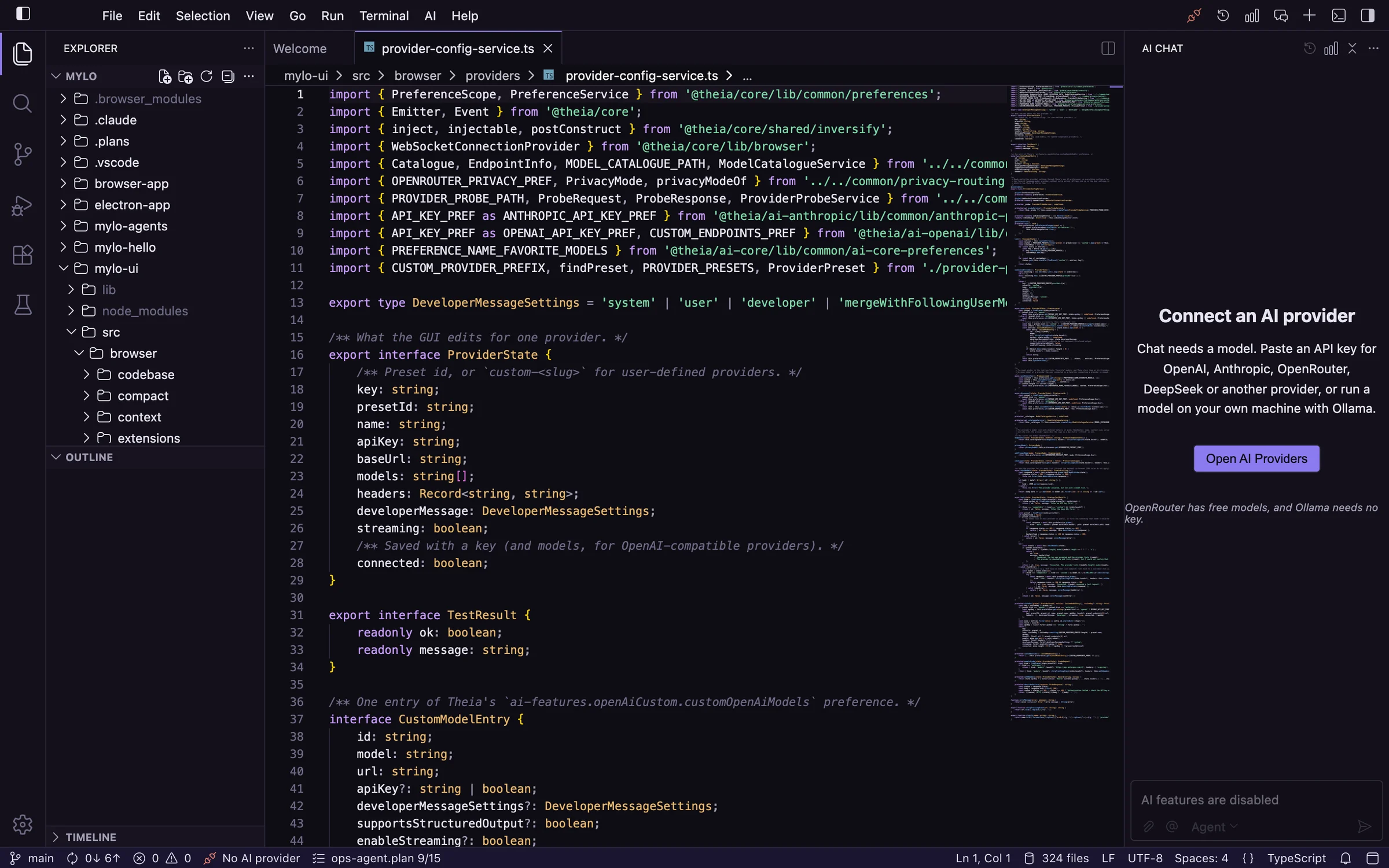
Features
What MyLo can do today.
Many chats, three modes
Open as many chats as you like, each with its own model. Ask answers questions, Plan writes a checklist for you to approve, and Agent edits files and runs commands, asking first. Messages you type while it works wait in a queue.
Bring your own key
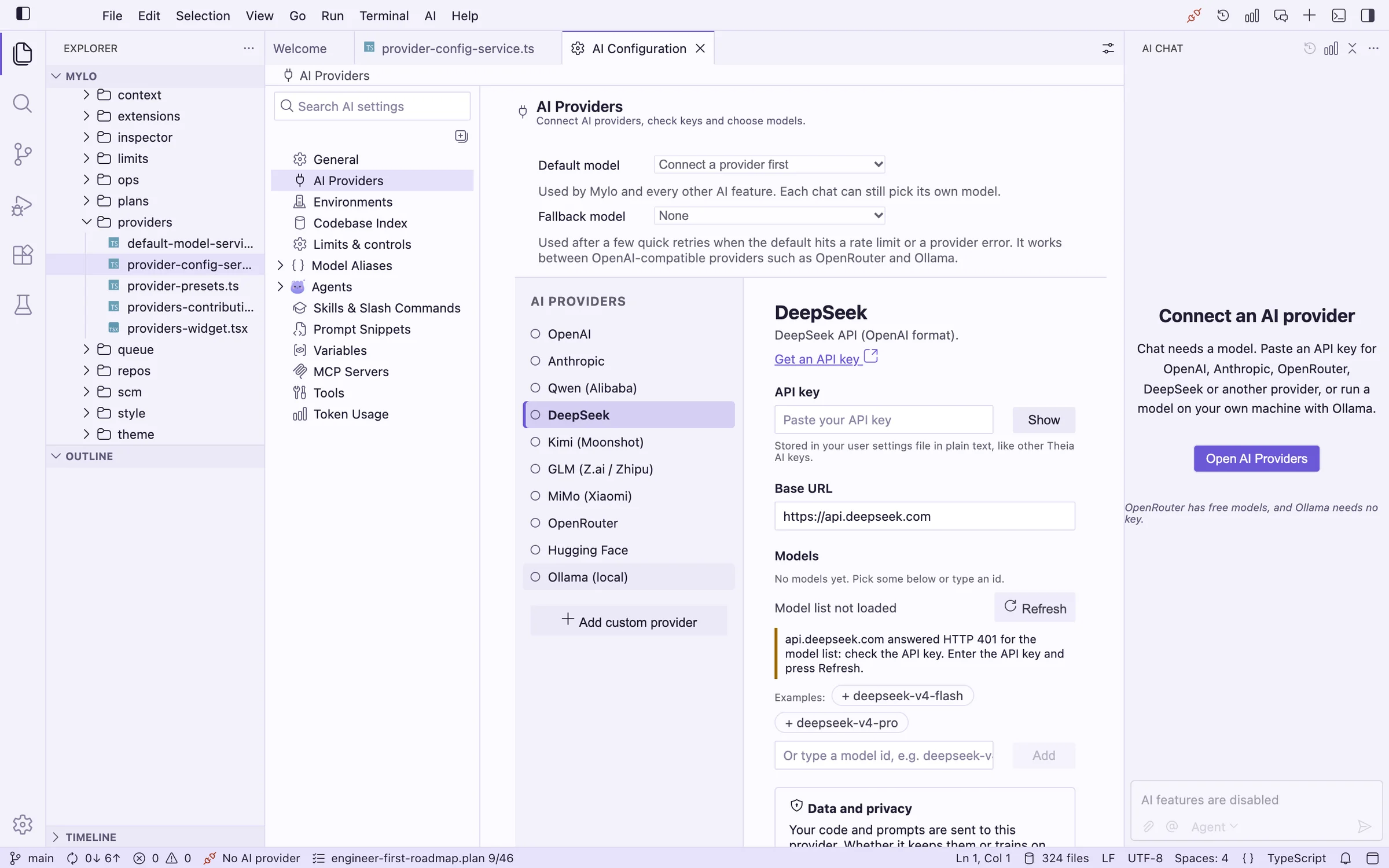
OpenAI, Anthropic, Qwen, DeepSeek, Kimi, GLM, MiMo, OpenRouter, Hugging Face, or anything that speaks the OpenAI format. You pay the provider directly.
Plans that survive
Plans are checklists saved in your project. Agent mode ticks steps off, /resume carries on after a stop or a restart, and long runs compact themselves before the context fills up.
See what it did
The Agent Inspector lists every model call and tool call with its tokens and time, and keeps them across restarts. Token Usage keeps an estimated cost, and a ring next to Send shows how full the context is.
Reads the web
Chats can search the web and read pages as Markdown, using Brave, Tavily, your own SearXNG or DuckDuckGo with no key. Local and private addresses are blocked.
Several repositories
Open more than one folder and pin each chat to a repository. Search and reads start there and reach the others by name. Every folder is indexed on your machine.
Servers, with approvals
Describe servers and Docker engines in .mylo/environments.json. The agent can read logs and run commands over your own ssh, and anything that changes something asks first, with the host named. Dangerous commands are refused, and nothing stores a password.
Searches your code
Your open folder is indexed on your machine. Chats can search it and read files, so answers are about your code.
MyLo for Windows
Windows 10 or 11, 64-bit. The installer is not signed, so Windows SmartScreen warns the first time.
- Download the
.exeand run it. - If SmartScreen appears, choose More info, then Run anyway.
- Pick a folder and finish; MyLo is in the Start menu.
MyLo for Debian and Ubuntu
Debian 12, Ubuntu 22.04 or newer, on x64. A Secret Service (GNOME Keyring) is needed to keep API keys in the system keychain.
- Download the
.deb. - Install it:
sudo apt install ./MyLo-*-amd64.deb - Start MyLo from the launcher, or run
mylo.
A real editor
Monaco (the editor in VS Code), a terminal, search and source control, as a Mac app or in a browser tab.
Previews
Markdown with math and Mermaid diagrams, plus images, audio and video, open right in the editor.
VS Code extensions
Install extensions from Open VSX. Git comes from the VS Code git extension.
Light and dark
MyLo Light and MyLo Dark follow your system and switch live when it changes.
Local by default
No account to create. The keyword index never leaves your machine, and indexes live in app data, never in your project. Semantic search is off unless you turn it on. API keys are kept in your user settings file, in plain text.
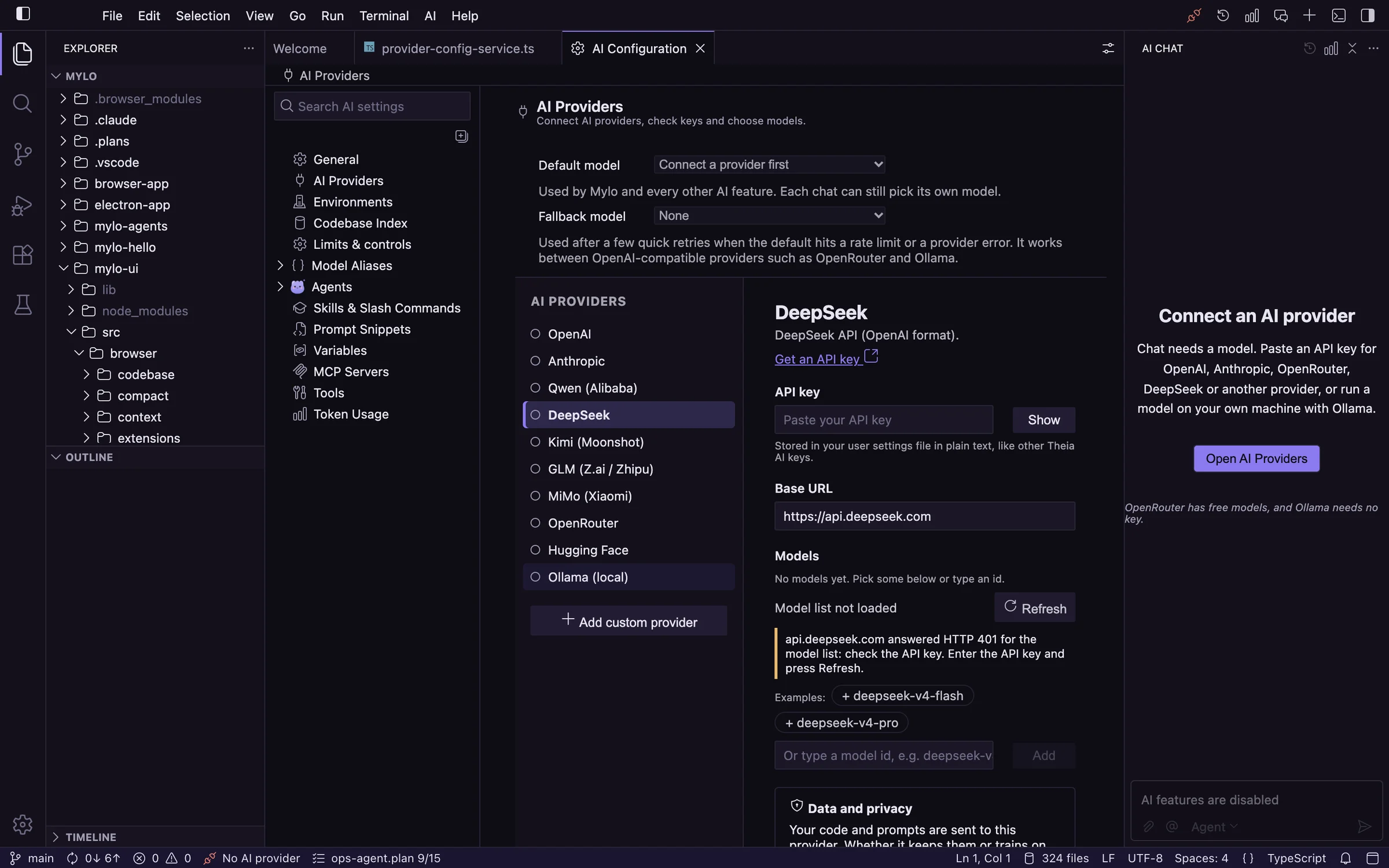
Connect any provider from one screen
Paste a key, test it, pick models. Anything OpenAI-compatible can be added as a custom provider.
Ollama needs no key. It is checked against a stand-in server that speaks its API, not a real Ollama install yet.
What has been tested
How far each area has been checked. "In use" means used regularly on real projects.
| Area | Status | Notes |
|---|---|---|
| Editor, terminal, search and source control | In use | Source control uses the VS Code git extension. |
| Chat, agents, plans, queued messages and compaction | In use | Used with GLM, DeepSeek and Kimi through OpenRouter. |
| Agent Inspector, token usage and estimated cost | In use | History is kept across restarts. |
| Local code search | In use | Chats use it to find and read files. |
| Markdown, Mermaid, media previews and Open VSX extensions | In use | Go, rust-analyzer and icon themes have been installed. |
| OpenRouter | In use | Key test, model list and chat. |
| OpenAI, Anthropic, Qwen, DeepSeek, Kimi, GLM and MiMo | Not verified | Presets come from public documentation. Any model id can be typed. |
| Hugging Face and Ollama | Simulated only | Tested against stand-in servers. |
| Semantic search | Simulated only | Tested against a local test server, not a real embeddings provider. |
| SSH and Docker environments | Simulated only | Tested with a stand-in ssh. Every change asks first. |
| Several repositories in one workspace | New | Tried with small repositories. |
| Folders on external drives | Not verified | A fix is in place but has not been confirmed on a real drive. |
More than 570 automated tests cover the logic. The app itself is checked by hand.
Known limitations
- Edits are applied directly once you approve them; there is no diff review step yet. Use git to review and undo.
- Additional chat windows start empty after a reload.
- The Windows and Linux (Debian) builds are new and have had little testing; macOS is the one used every day.
- Some interface labels still mention Theia.
Get MyLo
A disk image for Apple silicon Macs, an installer for Windows, a package for Debian and Ubuntu, or build it yourself.
MyLo for macOS
Requires macOS on Apple silicon. The app is not signed, so the first launch needs one confirmation.
- Download the
.dmgand open it. - Drag MyLo onto the Applications folder.
- Open it. The first time, right-click the app and choose Open, because it is not signed.
Build from source
git clone <repository-url>
cd mylo
yarn
yarn build:browser
yarn start:browserThen open http://127.0.0.1:3100. Use that address rather than localhost. To build the Mac app instead, see the docs.
Added
@is now the one character for everything in the chat box. It lists files (type a few letters and the matching files in the project appear), folders and editor items, project and chat context, agents and, once you type, tools, in groups with an icon each. Picking one writes what the chat understands in place of the@(#file:src/a.ts,~codebase_search).#,~and/still work as before.- A Copy button at the end of every finished answer, so the whole answer can be copied from where you finish reading (the toolbar copy at its top stays). Each code block in an answer already has its own Copy button in its header, next to Insert at Cursor.
Changed
- The separate "Generating…" line above the chat is gone. The answer's own header now says what the agent is doing: "Generating", "Running ops_exec · 12s", or "Waiting for you".
- Time a tool call waits for your approval is counted on its own ("waiting for you · 12s", then "waited 12s" next to the run time) and no longer counts as the tool's run time.
- The Stop button on a command row has a red outline and background.
- The context ring next to Send is clickable and opens the chat's usage panel. The buttons around the chat input have a hover background and a pointer, Send is filled while there is something to send, and Stop is red.